Weekly Reflection #4 – Multimedia Learning, Graphics, and Educational Videos
Summary
Todays class, we learned about multimedia learning and how teachers can use image, graphics, and videos to support student learning. We discussed how students can learn better when information is presented through both words and pictures instead of words. We also learned about cognitive lad and how having too much information on a slide or image can make learning more confusing for students. It is important for teachers to make their learning materials clear and organized so students can focus on what they are learning.
During class, we explored different told that teachers can use to create their own graphics and learning materials, such as PowerPoint, Canva, Bitmoji, and word clouds. We learned that PowerPoint can be used for more than just presentations, as teachers can create games, diagrams, mind maps, and other activities for students. We also talked about educational videos and how features like captions, playback speeds, and timestamps can help support different learners.
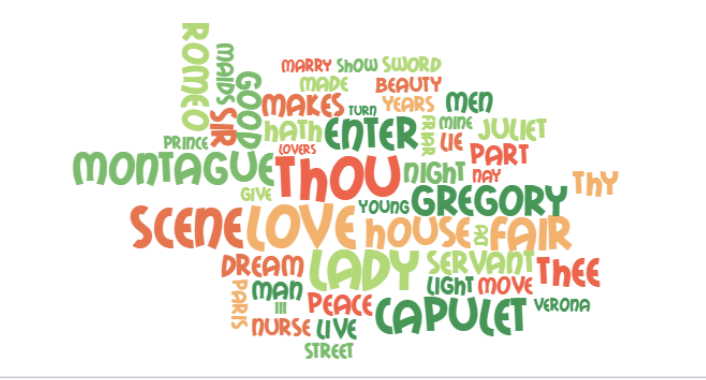
Example from EdWordle word clouds that Michael showed us in class today.
What? So What? Now What?
What? One thing I learned this week was how important it is to use images and videos in a way that actually helps students learn. Before this class, I knew that pictures and videos could make lessons more interesting, but I never really thought about how the way they are presented can affect students’ learning. I found it interesting to learn about cognitive load and how too much information can make it harder for students to understand something. I also liked learning about the different teachings teachers can create using PowerPoint, rather than only using it for presentations.
So What? I think this is important because as a future teacher I want to make sure my lessons are interesting and easy for students to understand. Every student has different learning needs, and using both words and pictures can give students more ways to understand information. I also learned that having more pictures or information does not always make a lesson letter. It is important that the images we use have a purpose and actually connect to what students are learning. I also think being able to create my own graphics will be helpful because I can make materials that fit what i am teaching and what my students need. For example, I could create a diagram to explain a science topic or make a review game to help students practice what they have learned.
Now What? Moving forward, I want to be more aware of how I use images, graphics, and videos in my future classroom. Instead of just adding pictures to make something look more interesting, I want to make sure they are helping students understand the lesson. I also want to become more comfortable using PowerPoint and Canva to create my own teaching materials, such as diagrams, games, and visual instructions. When using educational videos, I also want to remember that features like captions, playback speeds, and timestamps can help make learning easier for different students.
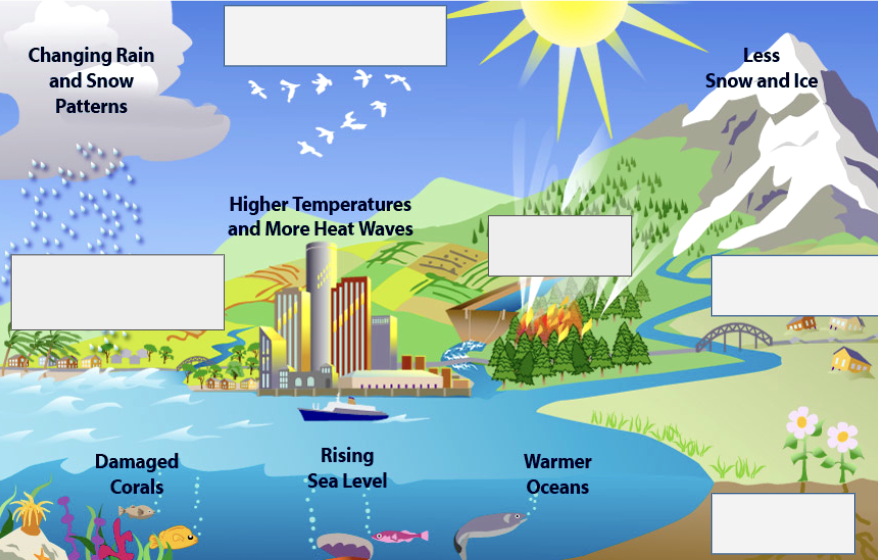
Michael showed us this diagram about global warming and climate change. This diagram would be helpful for students because it allows them to visually see the concept and could also be used as a worksheet by having students fill in the blank boxes.
Questions & Answers
Why might you want to create your own images or graphics for teaching and learning?
I think creating my own images and graphics would be helpful because I can make them fit what I am teaching and what my students need. Sometimes images online might have too much information or might not show exactly what I want students to learn. By making my own, I can choose what to include and keep it simple and clear. I also think graphics are helpful for younger students because they can see what they are learning instead of only having to read about it. For example, I could make a visual showing the steps of an activity so students know what they are supposed to do.
Have you experienced real meaningful support in your learning using an educational video? If so, what was the topic and what made it helpful?
I have found educational videos to be very helpful when learning topics because I am a visual learner and I find that I have a hard time understanding just by reading or listening to someone explain them. I find it easier to understand something when I can watch someone explain it step by step and see examples of what they are talking about. I also like being able to pause, rewind, or slow down a video when I need more time to understand something. I think educational videos are helpful because they allow students to learn at their own pace and go back to review information whenever they need to.